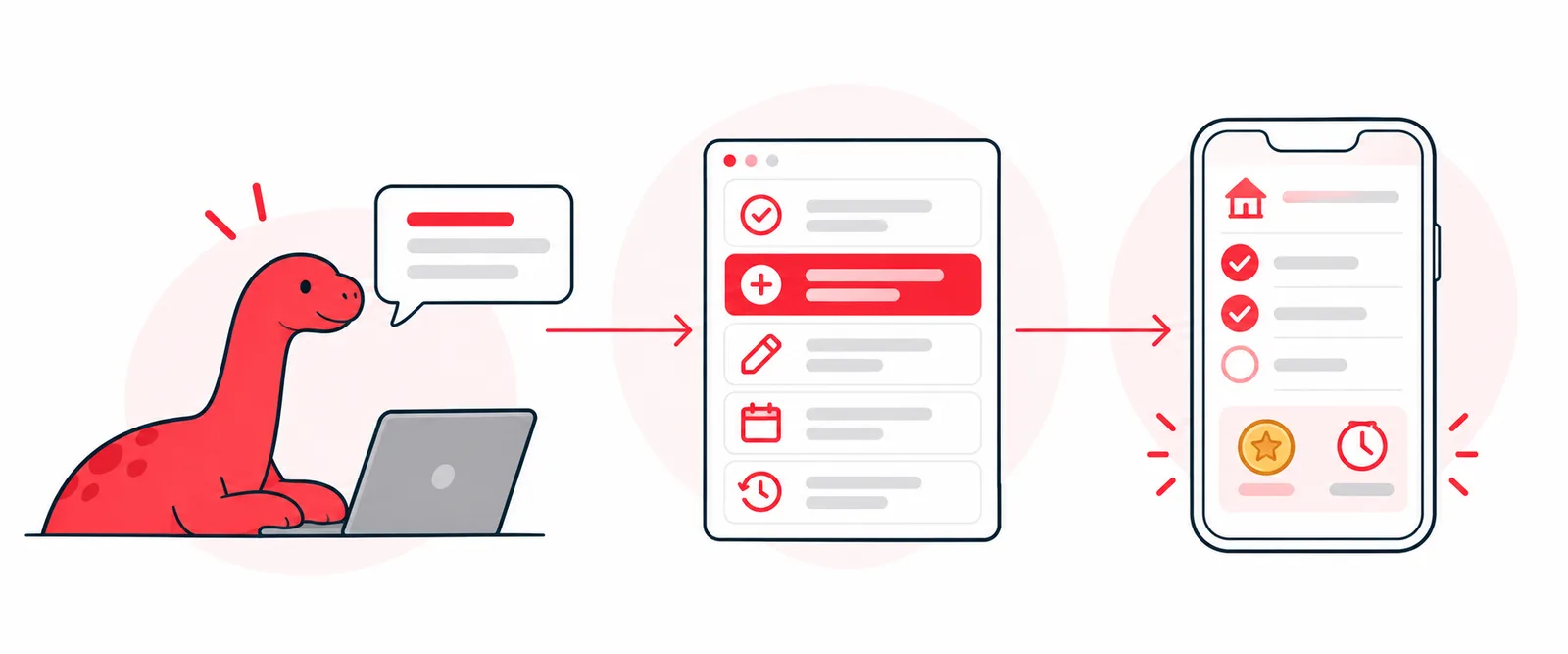
A few months ago I built a chores app for my family. It tracks who did what, pays the kids in cash or screen time, and keeps a streak going so nobody wants to break it. It’s one of the apps in the family hub I wrote about in I set out to build a finance tracker. I ended up with three apps.
Recently I put an MCP server on top of it. Now I can open Claude and type:
Both kids did the dishwasher tonight. One wants cash, the other wants screen time. And add a weekly chore to clean out the car, $3.
Claude checks this week’s chores, finds the right ones, marks them done with the reward each kid picked, asks me to confirm the new chore, and adds it. No app, no tapping through screens.
Before this, I’d heard “MCP” in every AI conversation and nodded along. Building one is what made it click. Here’s how it works, in plain terms, and what it taught me as a product person.
What an MCP server actually is
MCP, the Model Context Protocol, is a standard way for an app to offer actions to an AI assistant.
The simplest way I can put it: an MCP server is a menu. Each item on the menu is a tool, and each tool has three things:
- A name, like
chores_mark. - A description, written in plain language, saying what it does and when to use it.
- Inputs, with their types and allowed values: which kid, which chore, which status.
When I connect the server to Claude, Claude reads the menu. When I ask for something, it decides which tools to call, in what order, with what inputs. My server does the actual work, against the same data the app uses, and sends back the result. Claude reads that and either calls the next tool or answers me.
That’s it. The model never touches my database. It can only do what’s on the menu.
The menu for a chores app
Here’s what FamilyOS offers Claude for chores:
| Tool | What it does |
|---|---|
family_overview |
Who’s in the family, who Claude is acting as, today’s date and time |
chores_get_week |
This week’s chores, progress, rewards earned and streaks, with each chore’s id |
chores_mark |
Set a chore’s status for a kid on a given day |
chores_add |
Add a chore for a kid, or to the shared “Up For Grabs” pool (parents only) |
chores_edit |
Rename a chore or change its reward or time of day (parents only) |
chores_delete |
Remove a chore (parents only, confirm first) |
chores_history |
Past weeks’ totals: chores done, cash and screen time earned |
The same server also offers calendar tools for the family’s Google Calendar, so “add the dentist on Tuesday at 3” works the same way.
What building it taught me
1. The descriptions are the interface
In a normal app, the interface is screens and buttons. For an AI, the interface is the tool descriptions. Claude has nothing else to go on.
That changes how you write them. chores_mark doesn’t just say “marks a chore.” It says that daily chores take “cash” or “screen” (the reward the kid picked), weekly chores take “done” or “not done,” shared chores take “claimed” or “unclaimed,” the day defaults to today, and you get chore ids from chores_get_week. That last line is the one that matters most. It tells Claude the order of operations: look first, then act.
Writing those descriptions is a lot like writing acceptance criteria. A vague one leaves the model guessing. A specific one gets the right call on the first try.
2. Inputs are guardrails
Every input that can be a fixed list is one. The kid is one of two names. The status is one of six values. The day is mon through sun. The reward is a whole number of cents.
That means Claude can’t invent a third kid, a status the app doesn’t understand, or a reward of “a lot.” The schema rejects it before my code runs. The tighter the inputs, the less the model has to guess.
3. Rules live in the server, not the prompt
The chores app has real rules. Daily chores pay cash or screen time, and the kid chooses. Weekly chores pay cash. Personal habits don’t pay anything. Only parents can add, change or delete chores. A kid can only mark their own chores, and only for today.
None of that depends on Claude remembering it. The server knows who Claude is acting as and enforces it. A prompt can ask nicely. A server can say no.
4. Destructive actions ask first
Adding a chore, changing one and deleting one all come with an instruction to confirm with me first. Marking a chore done doesn’t, because it’s easy to undo and it’s the thing I do most.
That’s the same judgment you’d make for any interface: friction where mistakes are expensive, none where they’re cheap.
5. Context prevents the dumbest mistakes
“Mark it done for today” means nothing if the model doesn’t know what today is, or what time zone the family lives in. The family_overview tool answers that up front: who’s in the family, who I am, the local date and time. The server’s instructions tell Claude to call it first when it needs those.
When an assistant gets something like this wrong, it usually isn’t being dumb. It’s missing a fact you assumed it had.
6. Small, specific tools beat one big one
I could have offered a single “update the database” tool. It would have been less code and a far worse product: harder for the model to use correctly, impossible to put rules on, and scary to connect. Seven small tools, each doing one job, are easier to describe, easier to secure and easier for Claude to get right.
Why this matters if you build products
The chores app is a toy. The lesson isn’t.
More and more, people will reach your product through an assistant, not just through your screens. When they do, your MCP server is the product: the tool names, the descriptions, the inputs, the rules and the confirmations are the whole experience. Somebody has to design that, and it’s the same work as designing any interface: understand the job, decide what’s allowed, write it down clearly, put friction in the right places.
It’s also the clearest example I’ve found of something I keep coming back to: clarity isn’t process overhead, it’s the work. The model was only ever as good as the descriptions I gave it.
If you want to see another example, this site has one: notes.waltercolindres.com/mcp is a read-only MCP server that lets an assistant search and cite these notes.