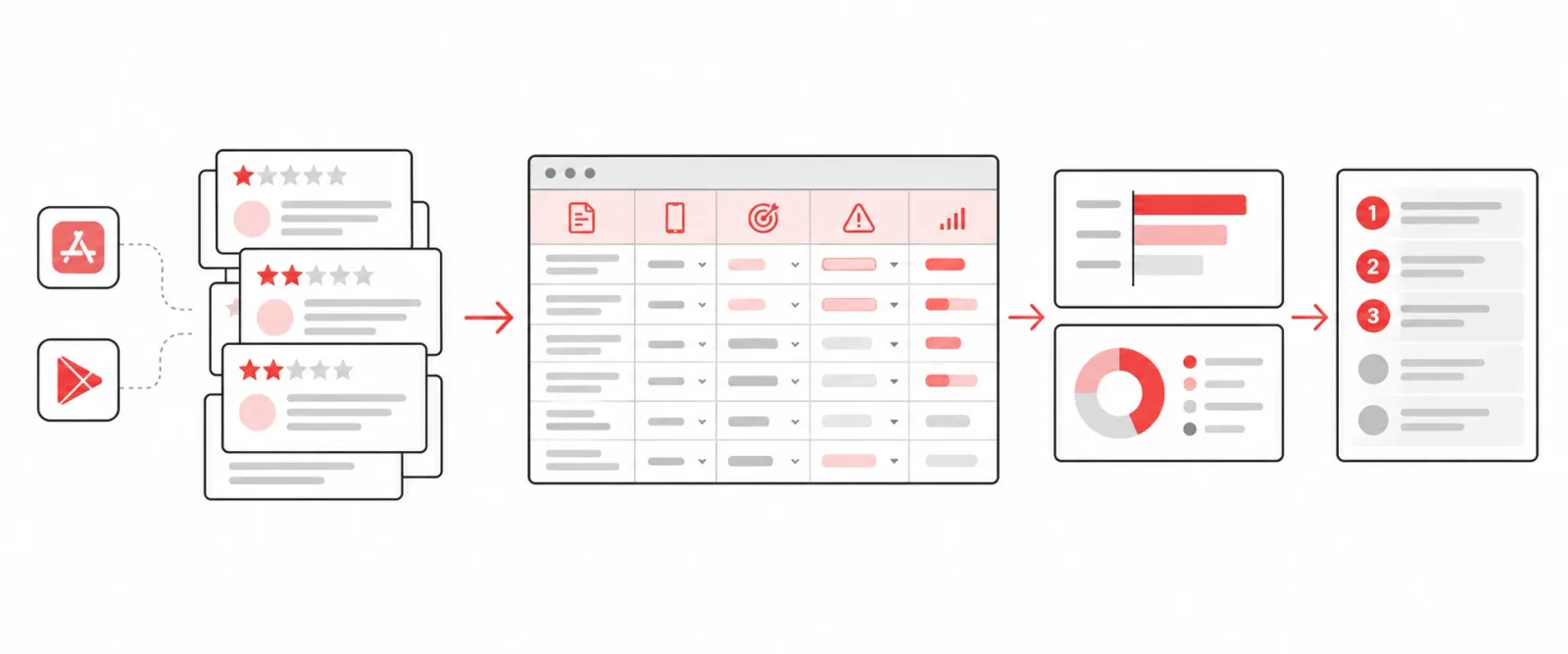
When I tell product teams to read their app reviews, the usual response is that they already do. There’s a dashboard. It says sentiment is negative and the most common word is “app.”
That’s not reading reviews. A review taxonomy is the step most teams skip: a simple, consistent way to sort every complaint into the job that failed. It turns a wall of angry text into a ranked list of what to fix. When I did this for the Jack in the Box app, it became the roadmap that took the rating from 2.6 to 4.8.
You need a spreadsheet and an afternoon.
Step 1: Export the right reviews
Pull the most recent 200 to 300 one- and two-star reviews from both the App Store and Google Play. Recent matters: reviews from two years ago describe an app you no longer ship.
If your volume is huge, take the most recent few hundred rather than sampling across a year. You’re looking for what’s breaking now.
Step 2: Set up five columns
| Review | Platform | Job | Failure point | Severity |
|---|---|---|---|---|
| “Added the offer but it wouldn’t apply. Had to reorder three times.” | iOS | Redeem a reward | Offer didn’t apply at checkout | High |
- Review: the text, pasted as-is.
- Platform: iOS or Android. Some failures only exist on one.
- Job: what the guest was trying to do. Not the feature, the job: “sign in,” “redeem a reward,” “find something to eat,” “check out.”
- Failure point: where in that job it broke, in a few words.
- Severity: did it block the job entirely (high), slow it down (medium) or just annoy (low)?
Step 3: Read and tag, and let the categories emerge
Don’t start with a list of categories. Read the first 50 reviews and write down the job for each in your own words. By then you’ll see the same handful of jobs repeating. Name them consistently and go back and tidy the first 50.
Then tag the rest. Some rules that keep it honest:
- One review can have two jobs. “Couldn’t log in, and when I finally did the deal wouldn’t apply” is two rows’ worth of signal. Tag both.
- Tag what failed, not how they felt. “Garbage app, never again” with no detail goes in an “unclear” bucket. Don’t guess.
- Separate the app from the restaurant. A cold burger is a real complaint, but it isn’t a product failure. Give it its own bucket so it doesn’t pollute your priorities.
Step 4: Count, then sort
Use a pivot table, or just COUNTIF on the Job column. Sort by count.
Almost every time, three to five jobs account for most of the negative volume. At Jack in the Box, four did:
- Signing in
- Redeeming offers
- Completing an order without it failing
- Finding things on the menu
Then look at severity within each. A job that fails less often but blocks completely can outrank a common annoyance.
Step 5: Turn the top of the list into the roadmap
Put the sorted list next to your current roadmap. This is the uncomfortable part. In my experience there’s almost always a gap: the roadmap reflects what the team wanted to build, and the review list reflects what guests needed fixed.
You don’t have to throw the roadmap out. But the top two or three jobs on this list deserve a slot, and they’re the easiest prioritization argument you’ll ever make, because the evidence is public and written by your customers.
Step 6: Re-run it every month
The taxonomy is most useful the second time. Keep the same job names and re-tag the latest reviews monthly. When a fix ships, its category should shrink within a few weeks. When a new category shows up, you’ve caught a problem before it drags down the average.
Can AI do the tagging?
Yes, with a caveat. Once you’ve built the categories by hand, an AI model can tag new reviews against them quickly and consistently. Paste in your job list with a few examples of each and ask it to tag a batch, then spot-check its work.
What it shouldn’t do is invent the categories for you on the first pass. The reading is where you build the judgment about what’s actually broken. That’s the part you can’t delegate.
This is one step in a bigger playbook: How to improve your app store rating. For why the job lens matters, read What a one-star review is actually telling you.